Have you forgotten your password? Not to worry. As long as you remember the email used to log into portal and you have access to the email address, you can reset your password.
- Go to https://portal.pitstop.my/ in your browser
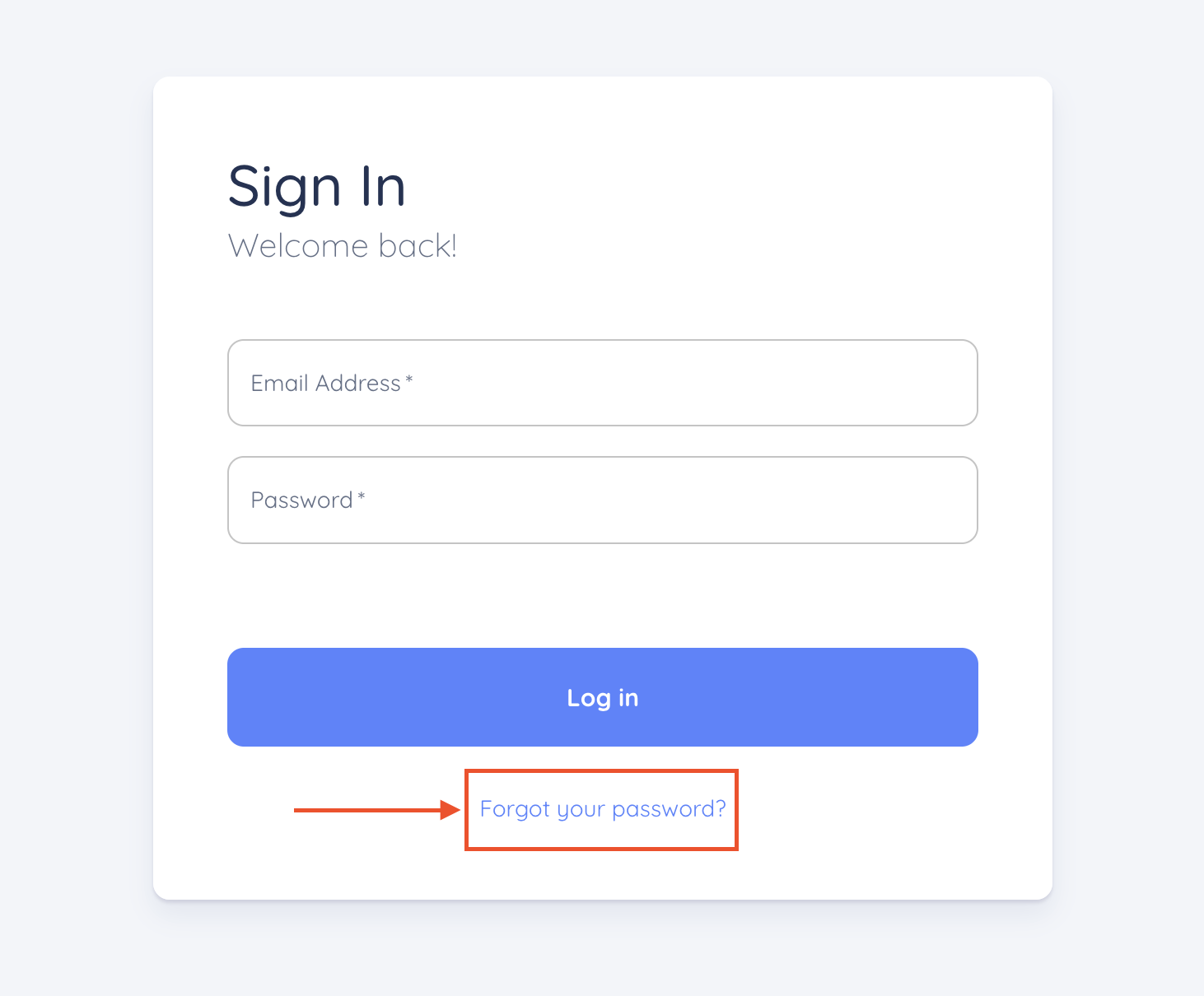
- Click on the link that reads "Forgot your password?"
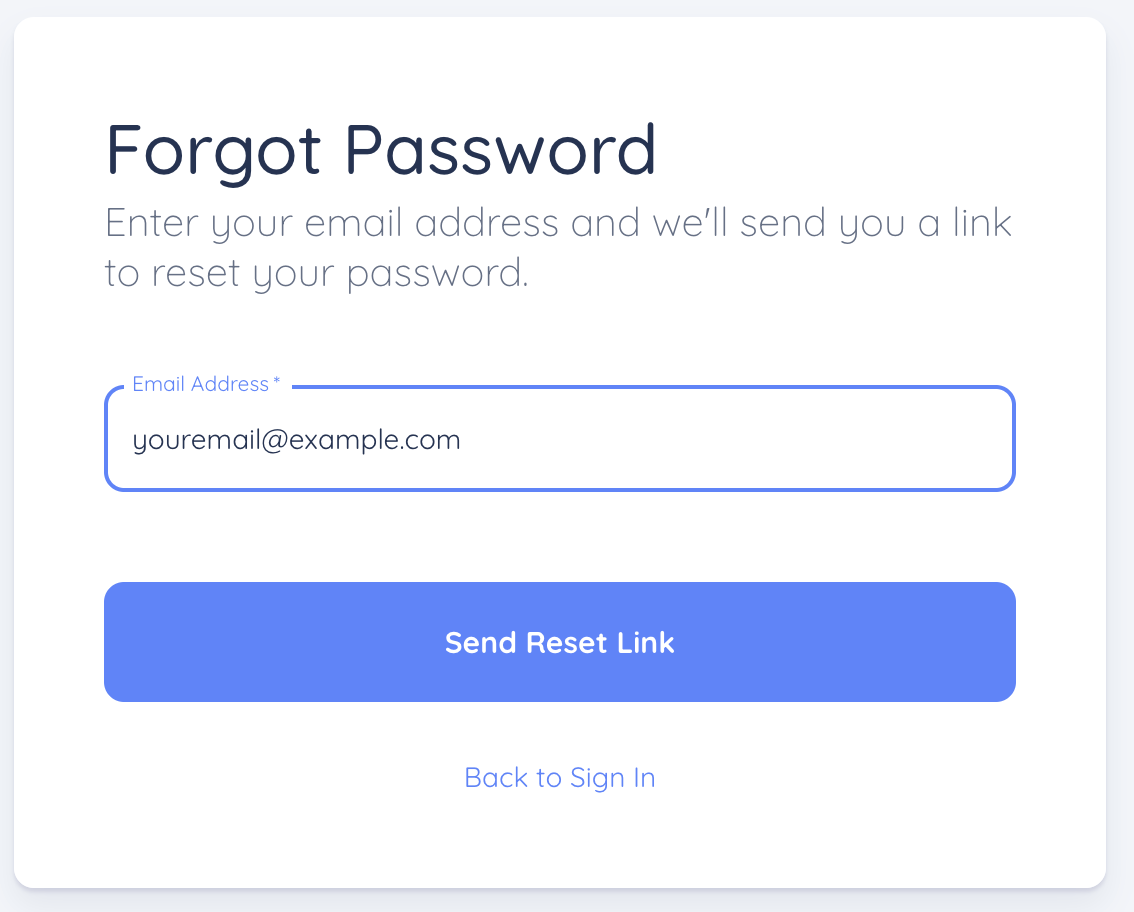
- Enter the email address for your portal account
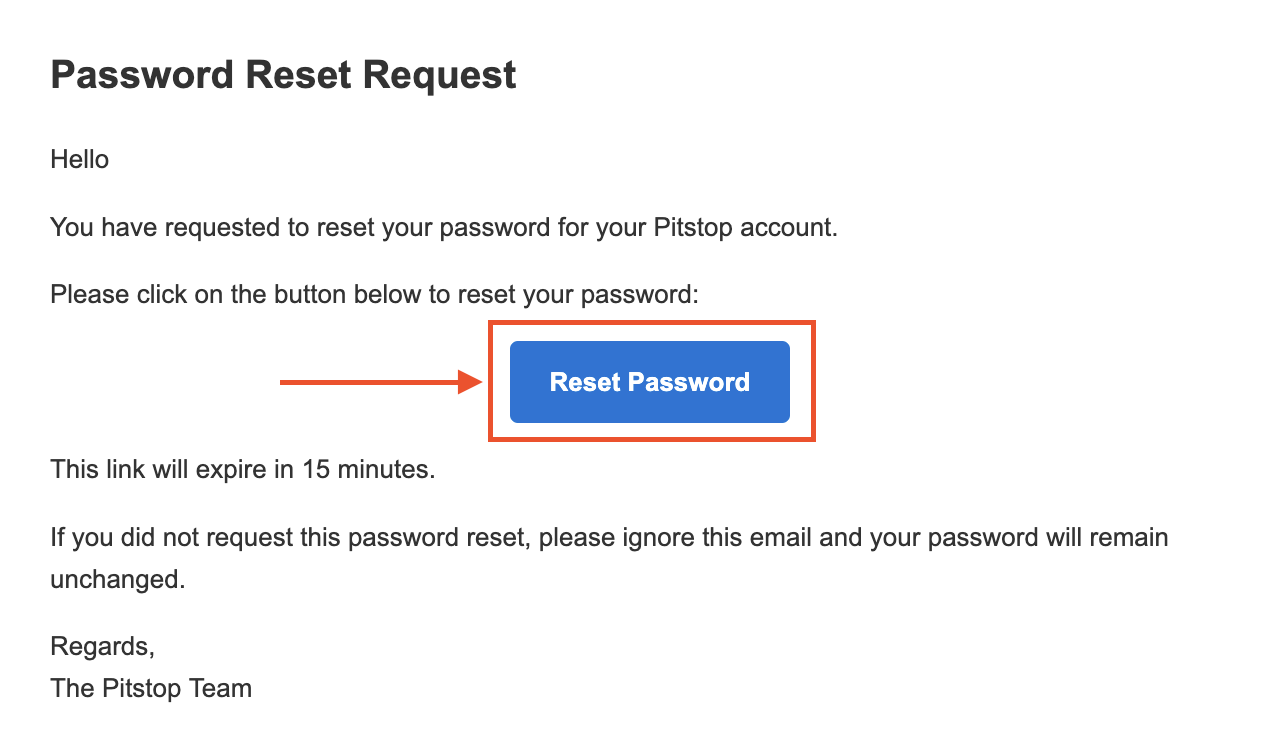
- Check your email, and look for an email from "Pitstop" titled "Password Reset Request"

- Click on the "Reset Password" button
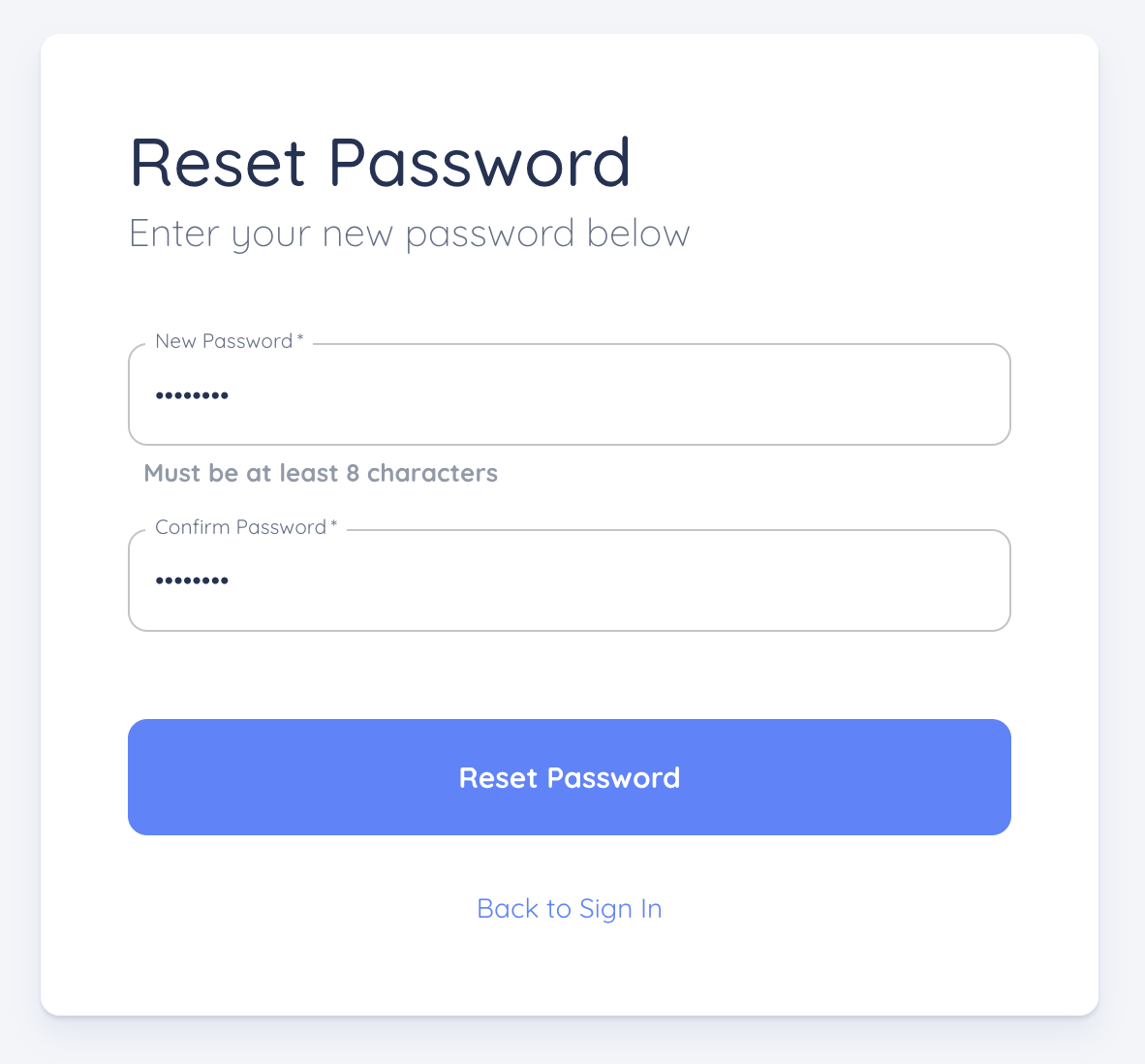
- Enter your new password, and click "Reset Password"
- You're done! You should now be able to log into your account using your new password
Was this article helpful?
That’s Great!
Thank you for your feedback
Sorry! We couldn't be helpful
Thank you for your feedback
Feedback sent
We appreciate your effort and will try to fix the article